
Your back end is everywhere.
Orders in Shopify. Questions in Gmail. Tracking in a portal. New products in a spreadsheet. Alerts in Slack. And you, switching between all of them to find out what needs you.
Running a store shouldn't start with six apps before breakfast.
The answers exist. They are just scattered across tools that don't talk to each other, so you become the one who connects them, every single day.
Which orders are stuck?
With MaibeeThe backend agents check every order every 15 minutes and flag missing tracking, late deliveries and risky addresses.
Has anyone answered that customer?
With MaibeeThe support agents read your inbox every 5 minutes and draft each reply with the order right next to it.
Are the new products live yet?
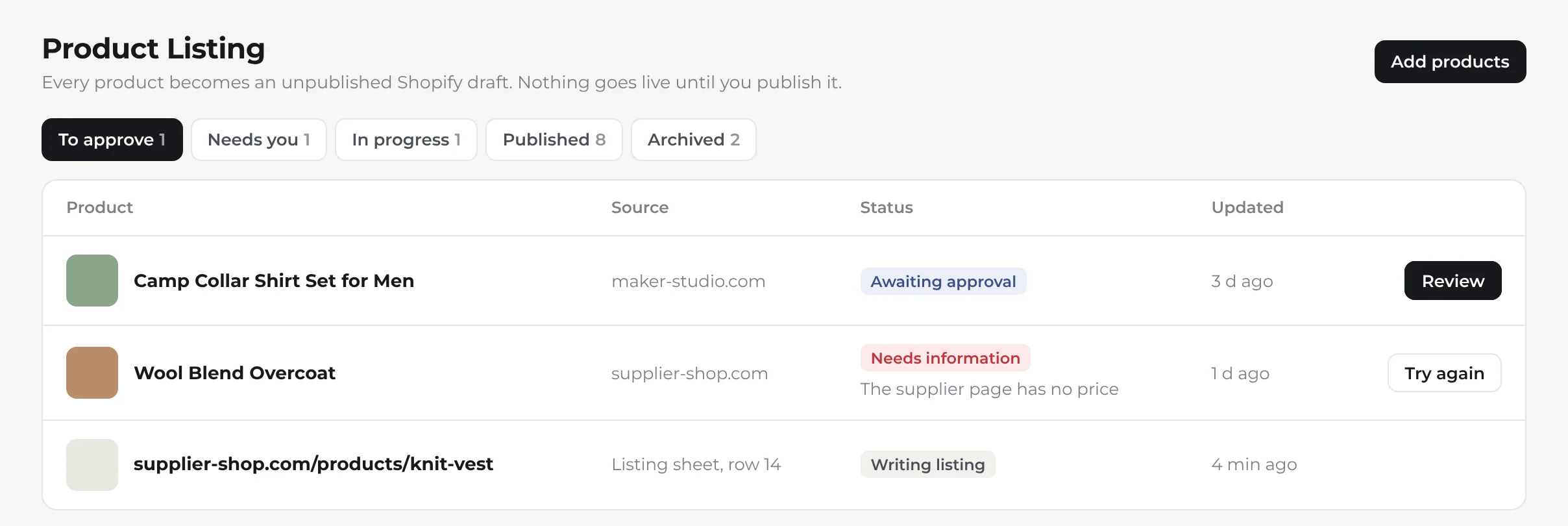
With MaibeeThe listing agents turn a supplier link into a complete Shopify draft. You review it and publish.
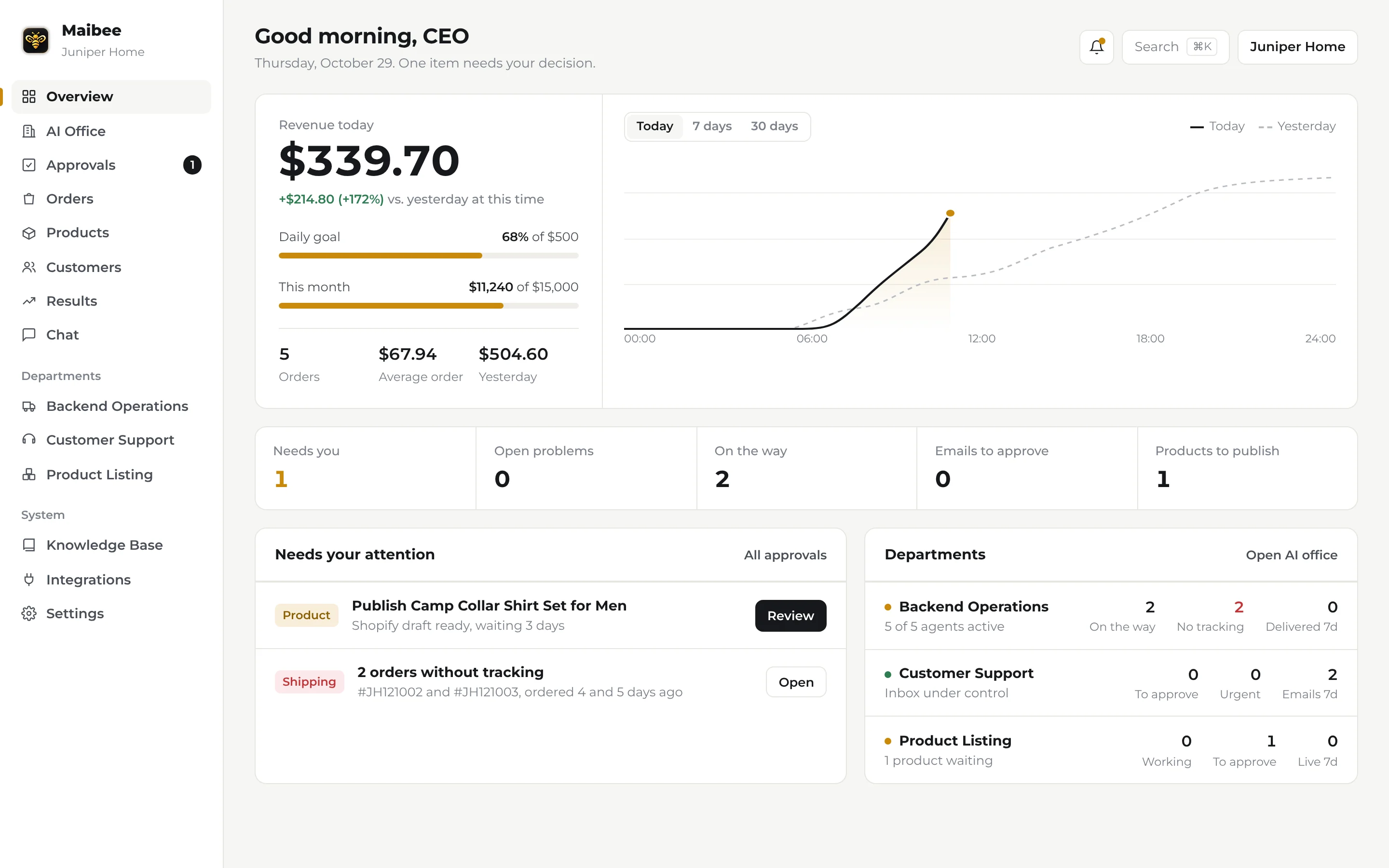
How are we doing today?
With MaibeeRevenue today, against yesterday at the same hour and your goal, is the first thing you see.
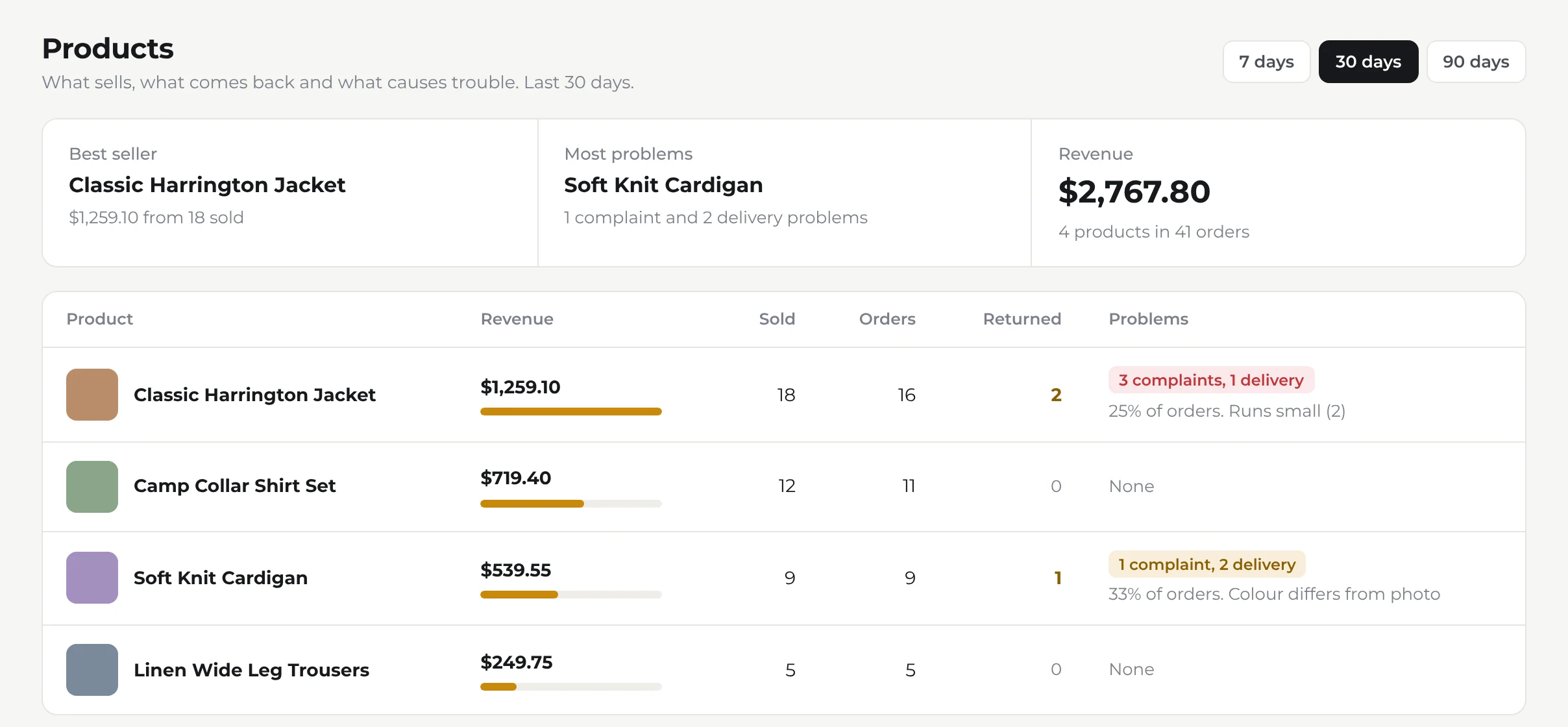
Know what sells, and what comes back.
Every product with its revenue, returns, complaints and delivery problems side by side, so a sizing issue or a bad batch shows up in days, not at the end of the quarter.
Three departments that never clock out.
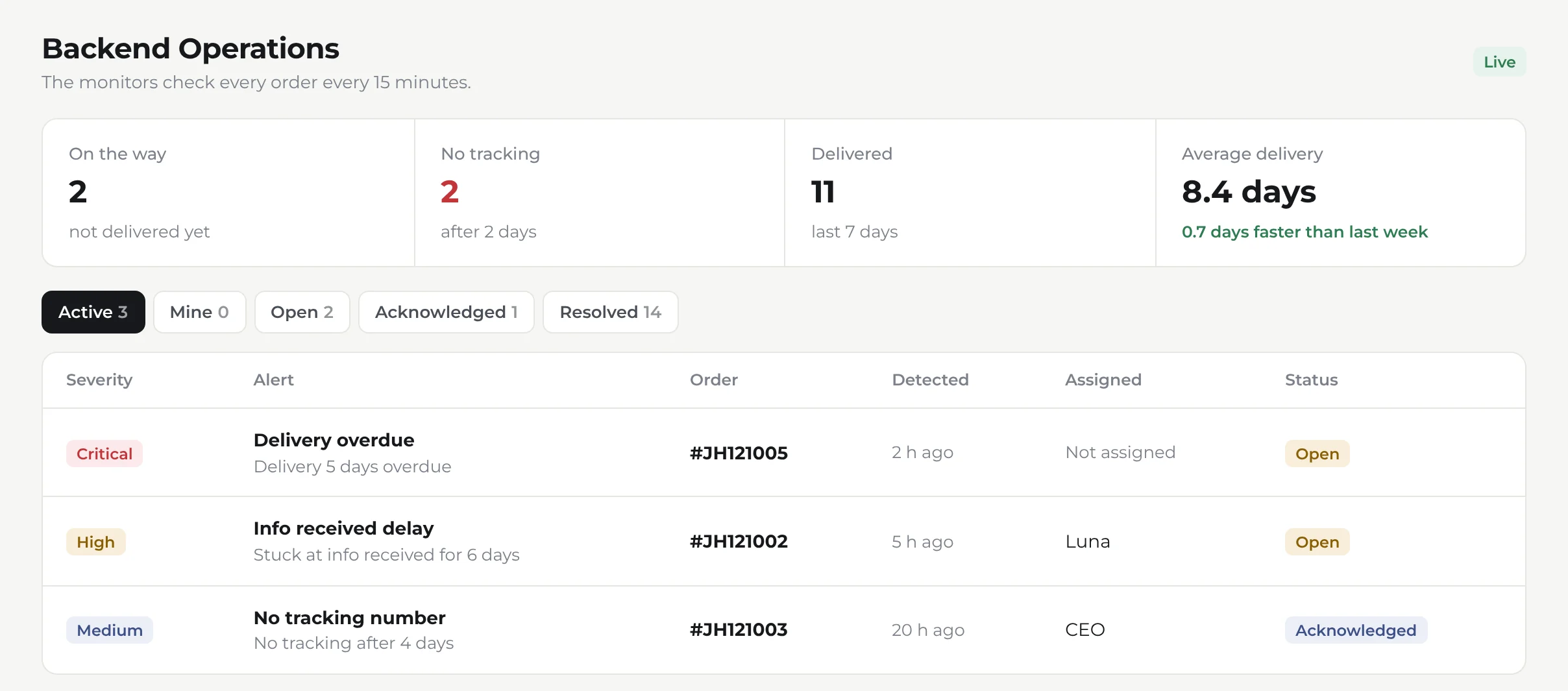
Backend Operations
Every order watched, from checkout to doorstep.
- Missing tracking and late deliveries flagged before the customer asks
- High-risk orders and suspicious addresses caught early
- Alerts assigned to a teammate, with Slack updates
Customer Support
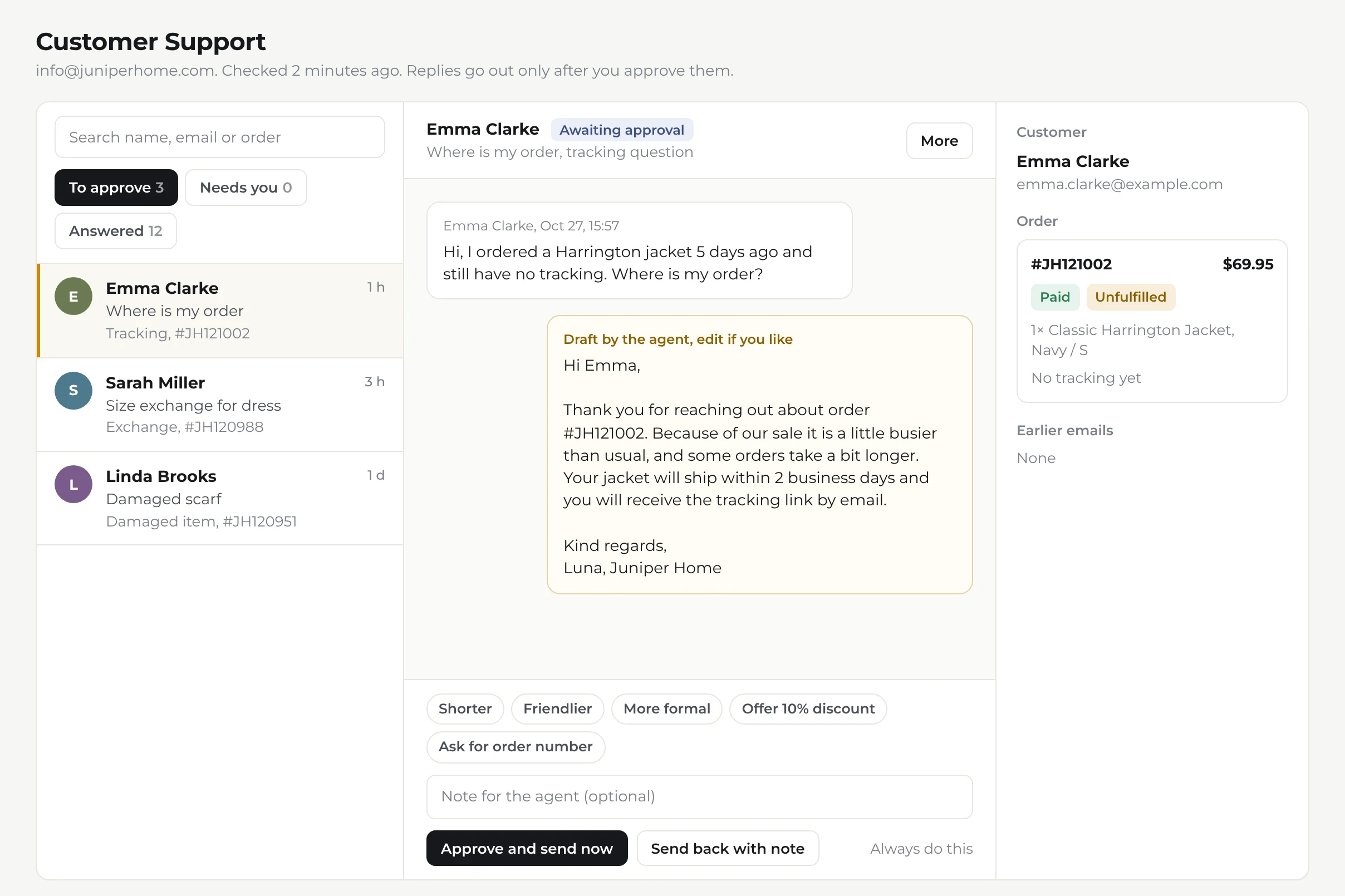
Your inbox, answered in your voice.
- Every email read, sorted and linked to its order
- Replies drafted with your policies from the knowledge base
- You approve, edit or send back with a note
Product Listing
From supplier link to Shopify draft.
- Paste a link or add it to your listing sheet
- Title, description, variants and price written for you
- Everything stays an unpublished draft until you publish
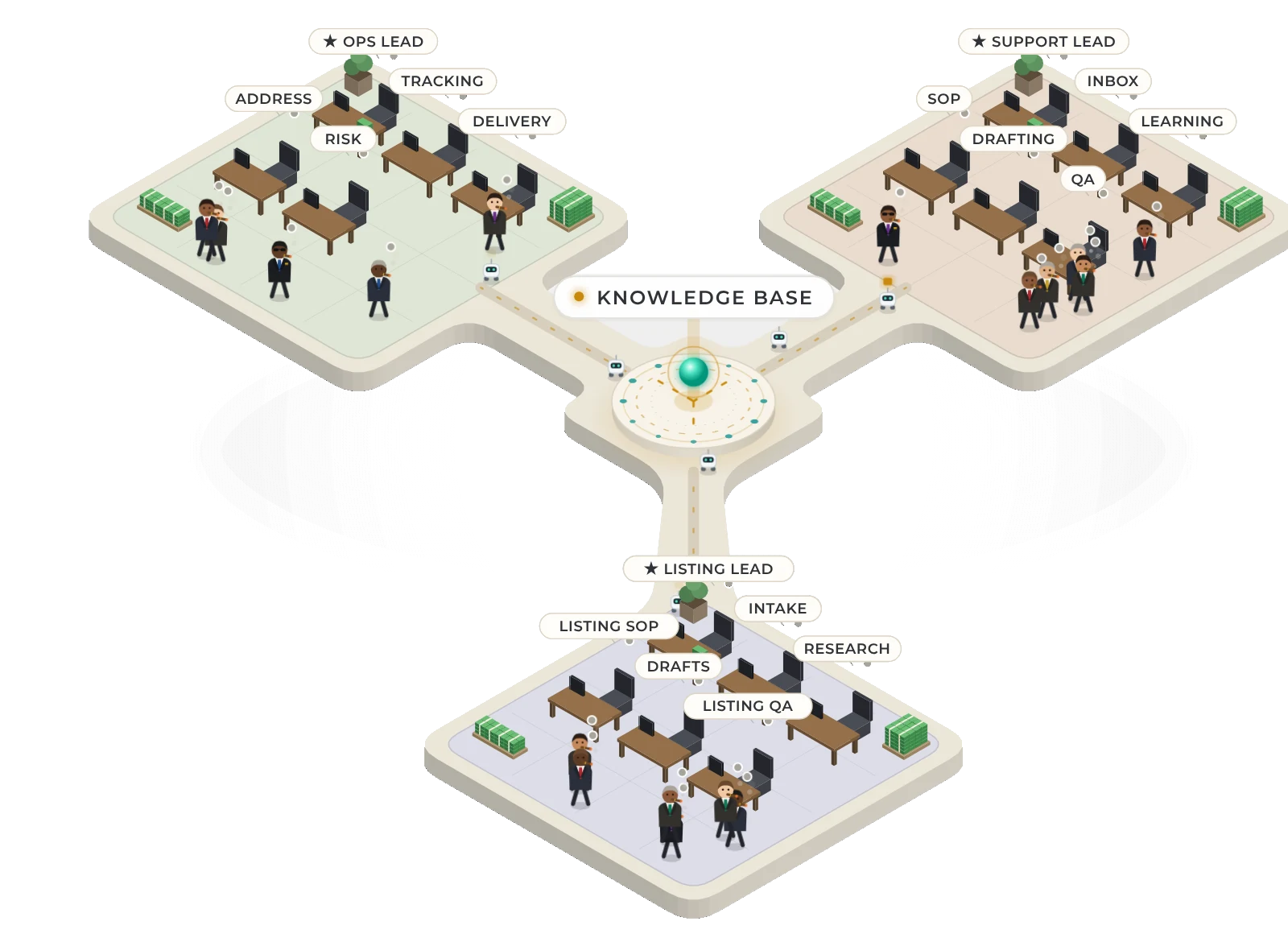
Watch your AI office at work.
Seventeen agents across three floors, each with a desk and one job. See who is working, what is waiting for you and what is done, live, without opening a single other app.
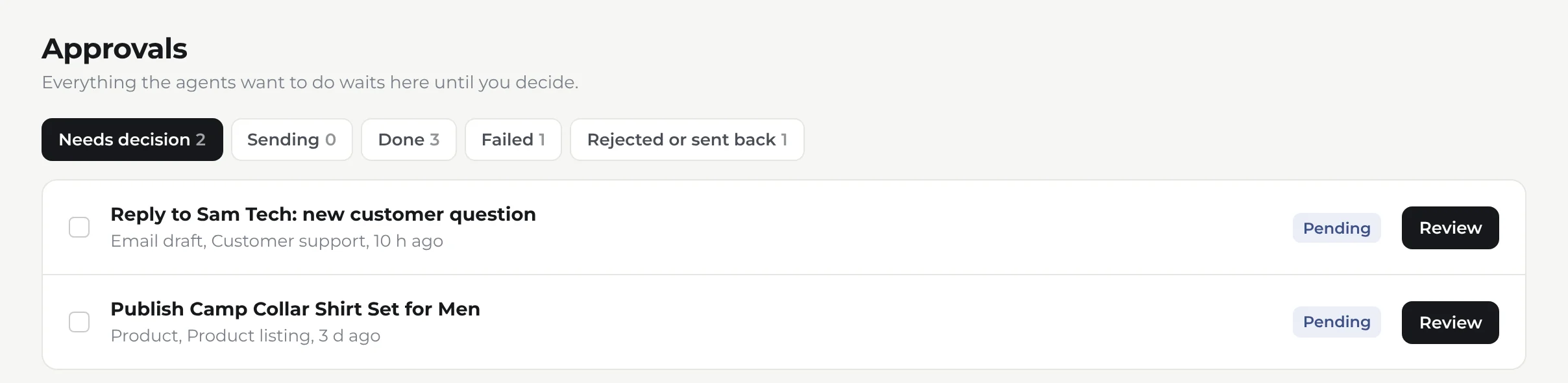
Agents draft. You decide.
Maibee does the work in the background and stops where your judgement matters. Approve from your desk or your phone in a tap.
Works with the tools you already use.
Up and running in an afternoon.
- 1
Create your workspace
Your business name and an account for you. Invite your team when you like.
- 2
Add your Shopify store
One store or several, each with its own currency, time zone and inbox.
- 3
Connect your apps
Shopify, Gmail, Google Sheets, Slack and tracking, with a guide for every step.
- 4
Let the agents start
On their next round they check orders, read the inbox and pick up new products.